Accessibility
Make CYC Studio easier to see, hear and use, with contrast, colour blind modes, motion settings and read aloud
Go to Settings › Appearance › Accessibility. These settings change how CYC Studio looks to you. They never change your work. Each account on a device keeps its own.
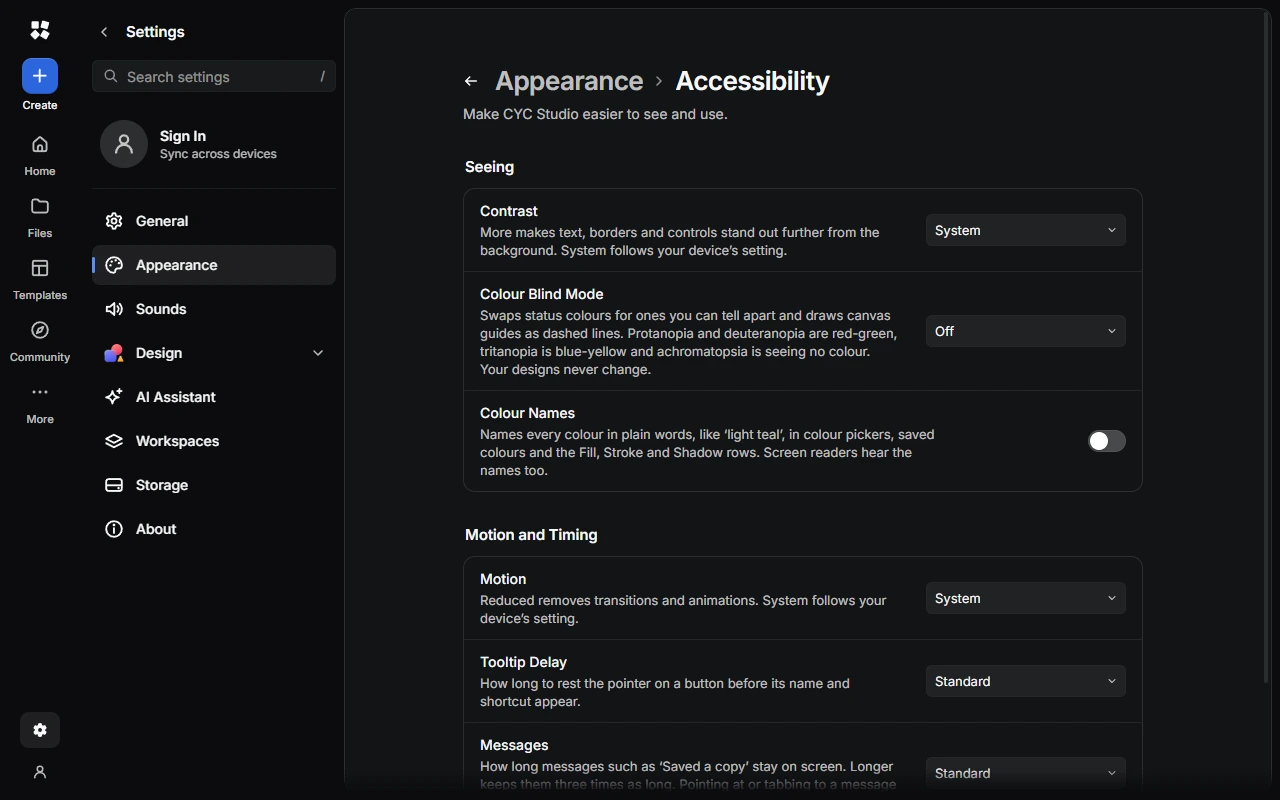
Seeing
- Interface Size makes everything smaller or larger, from 90% to 150%. It's in the Windows app. In a browser, use your browser's zoom (Ctrl + +).
- Contrast set to More makes text, borders and controls stand out further from the background. System follows your device.
- Colour Blind Mode swaps status colours for ones you can tell apart, and draws canvas guides as dashed lines. Choose Protanopia, Deuteranopia, Tritanopia or Achromatopsia.
- Colour Names names every colour in plain words, such as "light teal", in colour pickers, saved colours and colour settings. Screen readers hear the names too.
Motion and timing
- Motion set to Reduced removes transitions and animations. System follows your device.
- Tooltip Delay sets how long you rest the pointer on a button before its name and shortcut appear, or Never Show.
- Messages keeps messages such as "Saved a copy" on screen for longer, or Until Closed.
Read aloud
Notes can be read aloud: choose the speaker button at the top of a note. AI Chat can read replies aloud too. Choose the voice, speed and pitch in Settings › Notes › Read Aloud or Settings › AI Chat › Chat Options. Voices marked "(online)" send the text to a speech service.
Sound effects for things like messages and live sessions are in Settings › Sounds.
Keyboard and screen readers
- Most tools have their own key. Press Ctrl + Shift + / in an editor to list them.
- Ctrl + K opens the Command Palette, so you can run any command by typing.
- In Design, arrow keys nudge what's selected. Hold Shift to move it further.
- Buttons have names, messages are read out, the Layers panel works as a tree and the canvas announces what's selected.
- Focus outlines use your accent colour.
What we're working on
CYC Studio aims to meet WCAG 2.2 AA and never relies on colour alone. A few things aren't there yet:
- Freehand drawing needs a mouse, pen or touch.
- Changes other people make in a live session aren't announced.
If something gets in your way, email help@creatoryogames.com.
Last updated on 13 November 2026