Timer and music
Keep time and play background music while you work in an editor
About
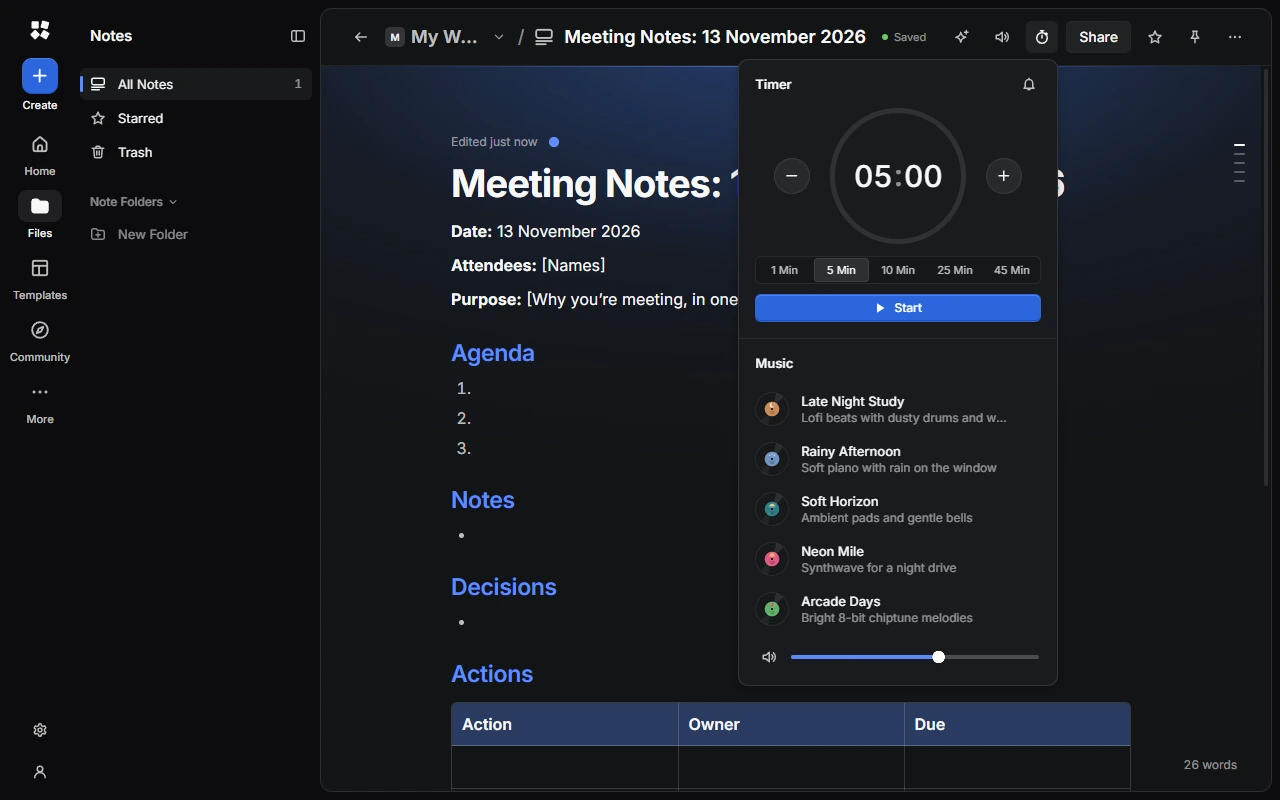
Timer and Music is in the top bar of Design, Slides, Whiteboards, Docs, Sheets and Notes. It has a countdown timer and five music stations, generated on your device as they play.
Use the timer
Open Timer and Music
Choose the Timer and Music button in the top bar.
Set the time
Choose a preset (1 Min, 5 Min, 10 Min, 25 Min or 45 Min), use − and +, or type on the dial. Timers can be up to 99:59.
Start it
Choose Start. While it runs, you can Pause, Resume, add a minute with +1 Min or Stop.
When time's up, you hear a sound and see Time's up. Choose Restart or Dismiss. Use the bell to turn the timer's sound on or off.
Play music
Choose a station: Late Night Study, Rainy Afternoon, Soft Horizon, Neon Mile or Arcade Days. Use the volume slider, or Mute Music.
Leaving the editor stops the music and resets the timer.
In a live session
Everyone in a live session shares the timer and music, but each person keeps their own volume. Only people who can edit can change them.
Last updated on 13 November 2026