About CYC Studio
Design, notes, docs, slides, sheets, whiteboards, forms, calendar, tasks, video meetings and AI chat in one free app, in your browser or on Windows
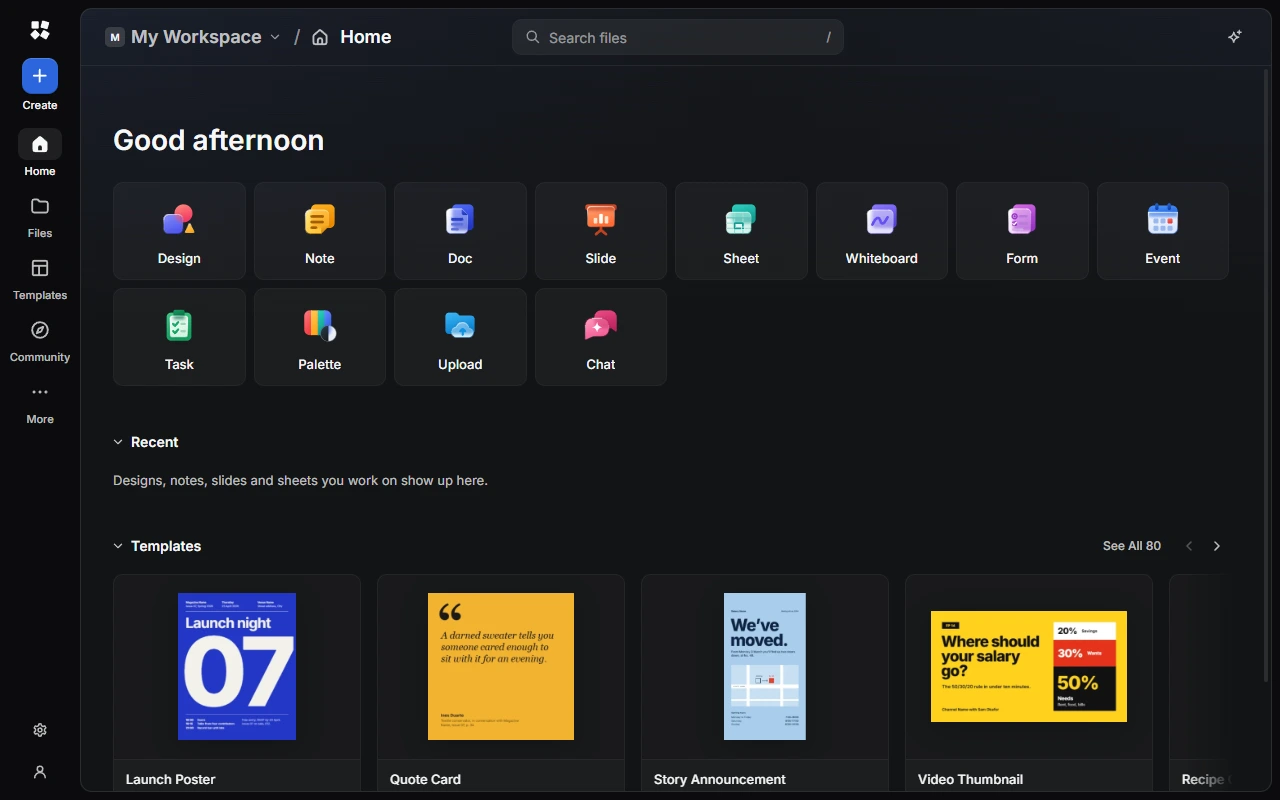
What is CYC Studio?
CYC Studio is a free studio for making and organising things: designs, notes, documents, presentations, spreadsheets, whiteboards and forms, along with a calendar, tasks, colour palettes, cloud file storage, video meetings and AI chat. It runs in your browser at app.cycstudioapp.com, and as an app for Windows from the Microsoft Store.
- No account needed. Everything you make is saved on your device and works offline once CYC Studio has loaded.
- An account adds more. Sign in to CYC Studio Cloud to sync your work between devices with end-to-end encryption, use Drive and Forms, host meetings in Meet, share workspaces, publish to Community and use CYC Studio AI.
- One assistant for everything. The AI Assistant can work inside each product, with CYC Studio AI or your own AI provider.
Products
Design
Vector tools, brushes, your own fonts and 80 templates.
Notes
Quick notes, checklists and tables that format as you type.
Docs
Real pages with headers, footers and a table of contents, ready to print.
Slides
Presentations with themes, transitions, animations and Presenter View.
Sheets
Spreadsheets with formulas, filters and conditional formatting.
Whiteboards
Ink, sticky notes, connectors and diagrams on an endless canvas.
Forms
Surveys and sign-ups with end-to-end encrypted answers.
Calendar
Day, week and month views with repeating events.
Tasks
Boards, lists, Today and Upcoming, with Smart Quick Add.
Palette
Generate colour palettes and check contrast.
Drive
End-to-end encrypted storage for your files and photos.
Meet
End-to-end encrypted video meetings with the people you invite.
AI Chat
Ask questions, work through files and write code.
Get started
- Welcome to CYC Studio: what you see the first time, and where your work is saved.
- Home and Files: create things, find them again and keep them organised.
- Settings: themes, sounds, storage and backups.
- Keyboard shortcuts: the keys that work everywhere.
Do more
- AI Assistant: get help inside each product.
- Live sessions: work on the same file with up to 30 people, no account needed.
- Create an account: sync your work and keep it safe.
- CYC Studio for Windows: tabs, the Quick Bar and locking work with Windows Hello.
- CYC Studio Safety Centre: report a problem, keep your account secure and stay safe.
Policies for CYC Studio, including the Privacy Policy and Terms of Service, are on the CYC / CYG Policies site.
Last updated on 14 November 2026