Get started with Slides
Create a presentation from scratch or one of 80 templates, and find your way around the editor
About
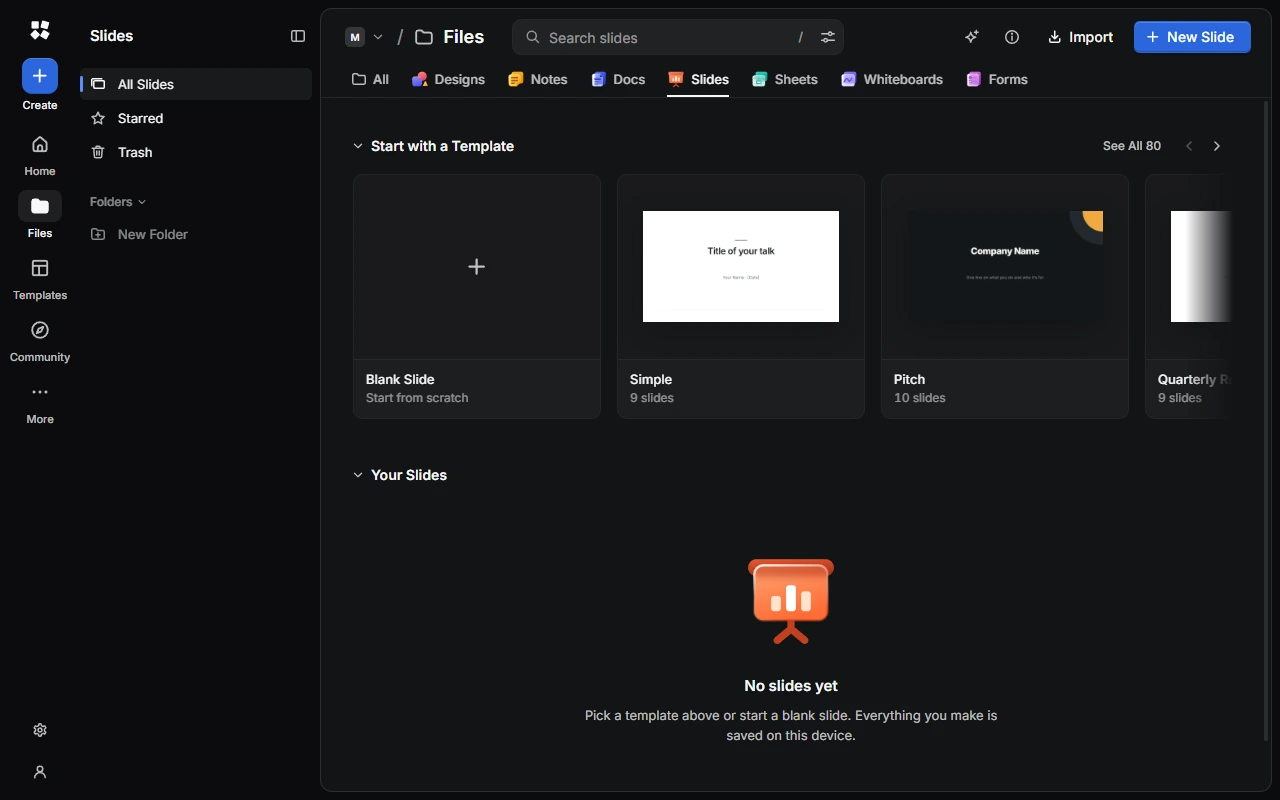
Slides is for presentations. Start from a template with speaker notes already written, add transitions and animations, then present with Presenter View.
In your files, a presentation is called a "slide": New Slide in the library makes a new presentation. Inside a presentation, New Slide adds a slide to it.
Create a presentation
- Choose New Slide for a blank presentation. It uses the slide size, slide numbers and transition set in Settings › Slides.
- Or choose a template under Start with a Template, or See All. Each one shows how many slides it has. In the gallery, filter templates by category (Business, Marketing, Education, Creative or Personal) and by a light or dark background.
- From anywhere, choose Create › Slide.
To bring in a presentation, choose Import and pick a .cyc-studio file. Slides doesn't open PowerPoint files.
Find your way around
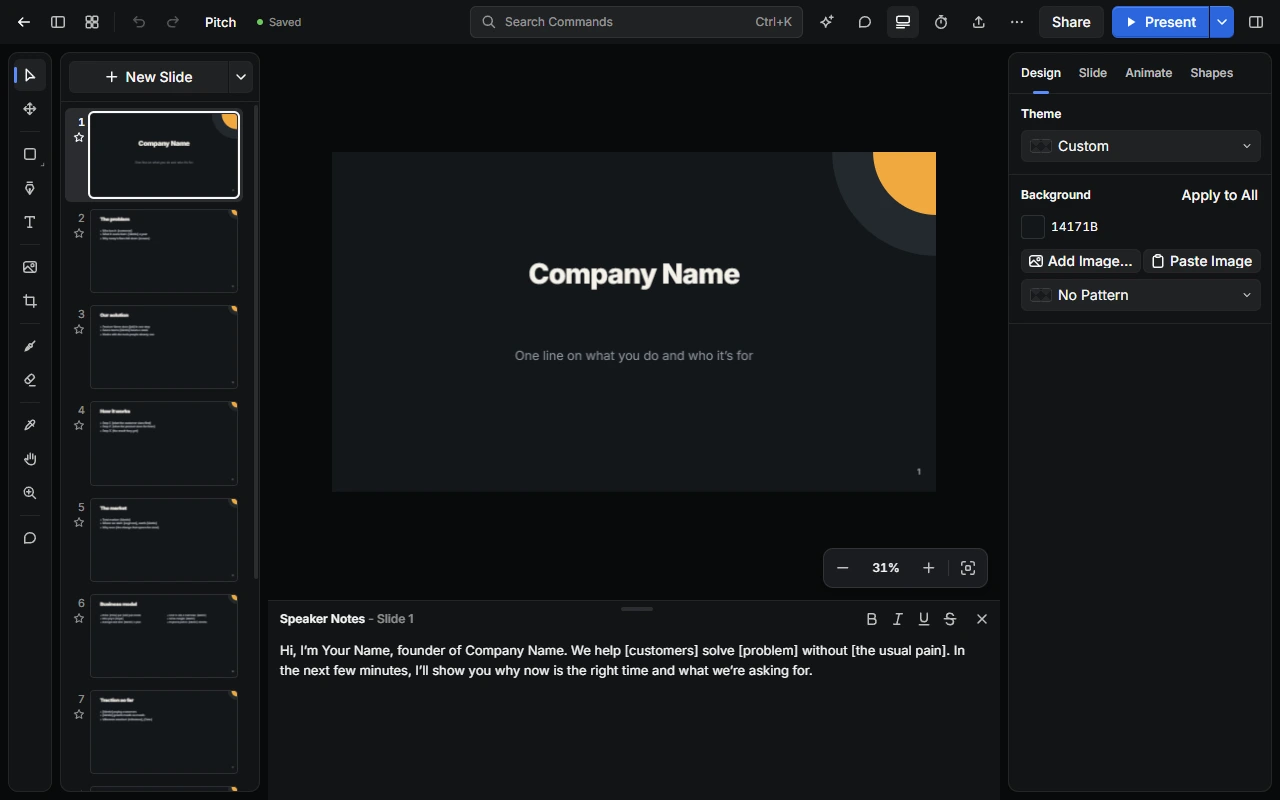
- Top bar: go back, show or hide the slide list (Alt + L), switch to Grid View (Alt + G), undo and redo, and rename the presentation. In the middle is Search Commands (Ctrl + K). On the right are the AI Assistant, Comments, Speaker Notes, Timer and Music, Export PDF, More, Share and Present.
- Tools run down the left edge. They're the same as in Design.
- The slide list shows every slide.
- Slide Properties, on the right, has the Design, Slide, Animate and Shapes tabs. Press Alt + P to show or hide it.
Organise your presentations
The sidebar has All Slides, Starred, Trash and your Folders. Open a presentation's ⋯ menu to rename, duplicate, move or trash it, or download it as a .cyc-studio file. See Home and Files.
Settings
In Settings › Slides, choose the slide size (16:9 or 4:3), slide numbers and transition that new presentations start with, and the layout New Slide adds. Under Presenting, choose whether Presenter View opens when you present, and whether it shows a timer.
Next steps
Last updated on 13 November 2026