Get started with Docs
Create documents on real pages, from scratch, a template or a Word file
About
Docs is a word processor that lays your writing out on real pages. Write reports, letters and résumés with headers and footers, tables, page backgrounds and a table of contents, then print them or export them as PDF or Word files.
Create a doc
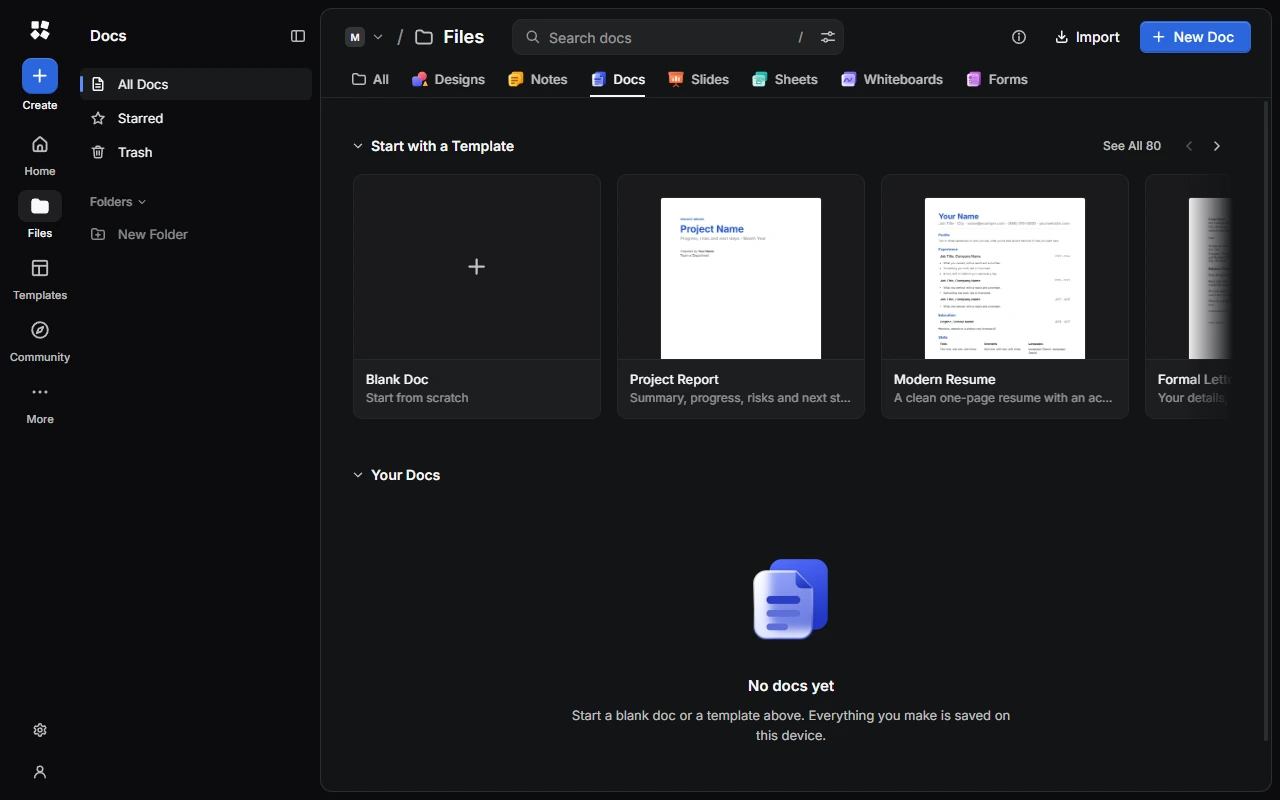
- Choose New Doc for a blank doc called "Untitled Doc".
- Or choose a template under Start with a Template, or See All. There are templates for letters, reports, résumés, school, business, planning and more.
- From anywhere, choose Create › Doc to search the doc templates.
A new doc uses Inter at 11 pt, 1.15 line spacing and 1-inch margins. Pages are A4, or US Letter if your device is set to a country that uses it, such as the United States or Canada.
Import a file
Choose Import in Docs and pick a Word (.docx), Markdown (.md), text (.txt) or .cyc-studio file. Each one becomes a new doc. To add a file to a doc you're working on instead, choose More › Insert From File….
Find your way around
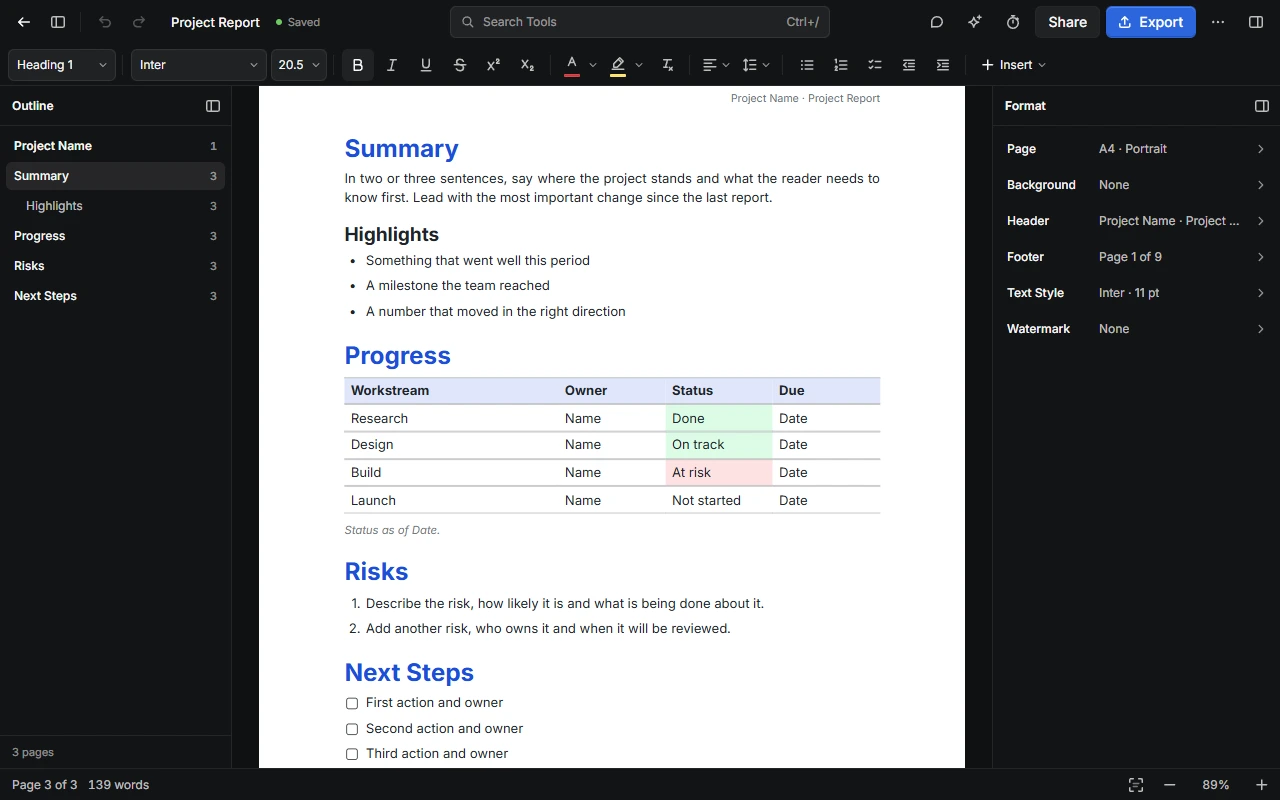
- Top bar: go back to your docs, show or hide the Outline, undo and redo, rename the doc, and find any tool with Search Tools (Ctrl + /). On the right are Comments, the AI Assistant, Timer and Music, Share, Export, More, and the button that shows or hides the Format panel.
- Formatting toolbar: styles, fonts, lists and Insert. See Write and format docs.
- Outline, on the left, lists your headings so you can jump between them. Press Alt + L to show or hide it.
- Format, on the right, has settings for the page, background, header, footer, text style and watermark. Press Alt + P to show or hide it. See Page setup, headers and footers.
- Status bar: the page you're on, the word count, Focus Mode and zoom.
Organise your docs
The sidebar has All Docs, Starred, Trash and your Folders. Open a doc's ⋯ menu to rename, duplicate, move or trash it, or download it as a .cyc-studio file. See Home and Files.
Docs save on your device as you write. If the same doc is open in another tab, the second tab is read-only. Choose Edit Here Instead to edit it there.
Last updated on 14 November 2026