Get started with Design
Make a design from a size or a template, and keep your designs organised
About
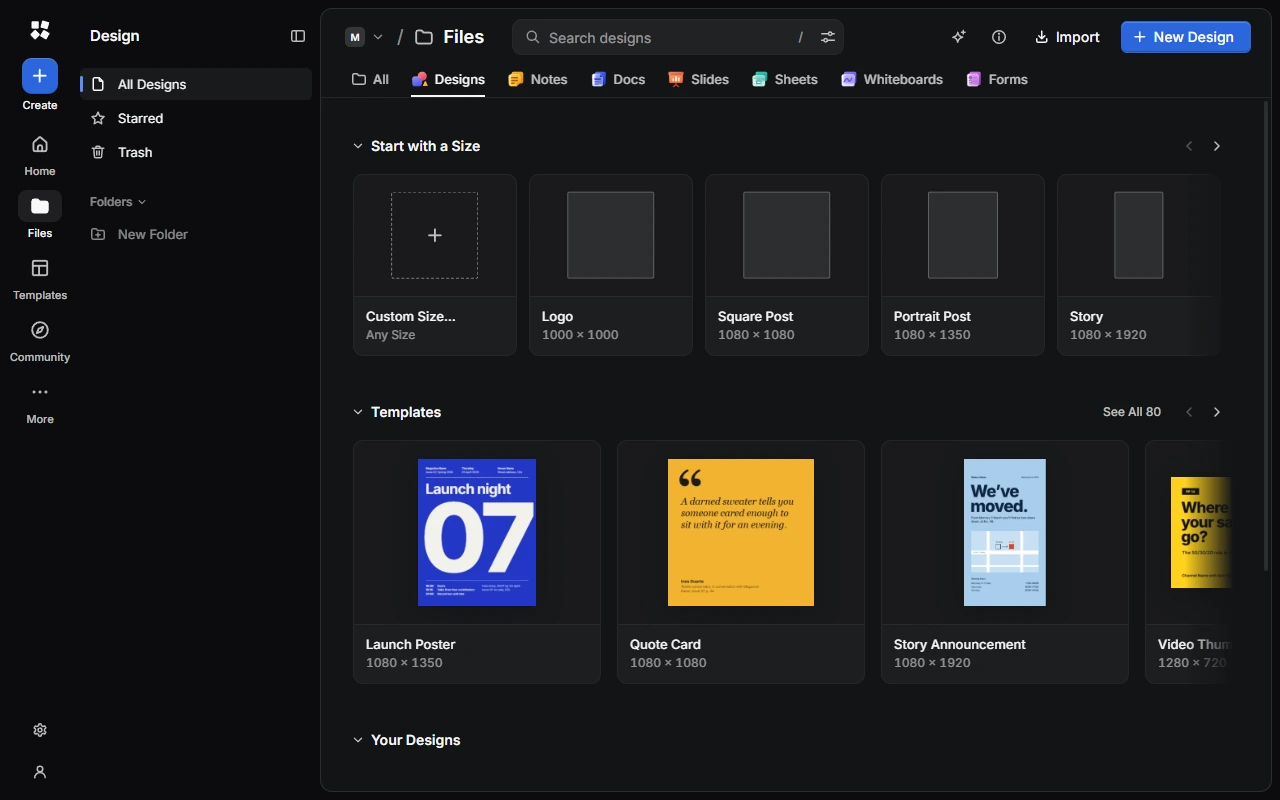
Design is CYC Studio's vector design editor. Draw with real vector tools, paint with pressure, set type in your own fonts, or start from one of 80 templates. Use it for social posts, posters, logos, presentations, printables and more.
Make a design
Open Files and choose the Designs tab.
- Start with a size: choose one of the sizes under Start with a Size. The design opens straight away.
- Start from a template: choose a template under Templates, or See All.
- Choose any size: choose Custom Size…, enter a width and height in pixels (up to 100,000), give the design a name and choose Create Design.
| Size | Pixels |
|---|---|
| Logo | 1000 × 1000 |
| Square Post | 1080 × 1080 |
| Portrait Post | 1080 × 1350 |
| Story | 1080 × 1920 |
| Video Thumbnail | 1280 × 720 |
| Banner | 1500 × 500 |
| Website Hero | 1920 × 1080 |
| Poster | 2700 × 3600 |
| Desktop Wallpaper | 3840 × 2160 |
| Mobile Wallpaper | 1290 × 2796 |
| A4 Document | 2480 × 3508 |
| US Letter | 2550 × 3300 |
The New Design window
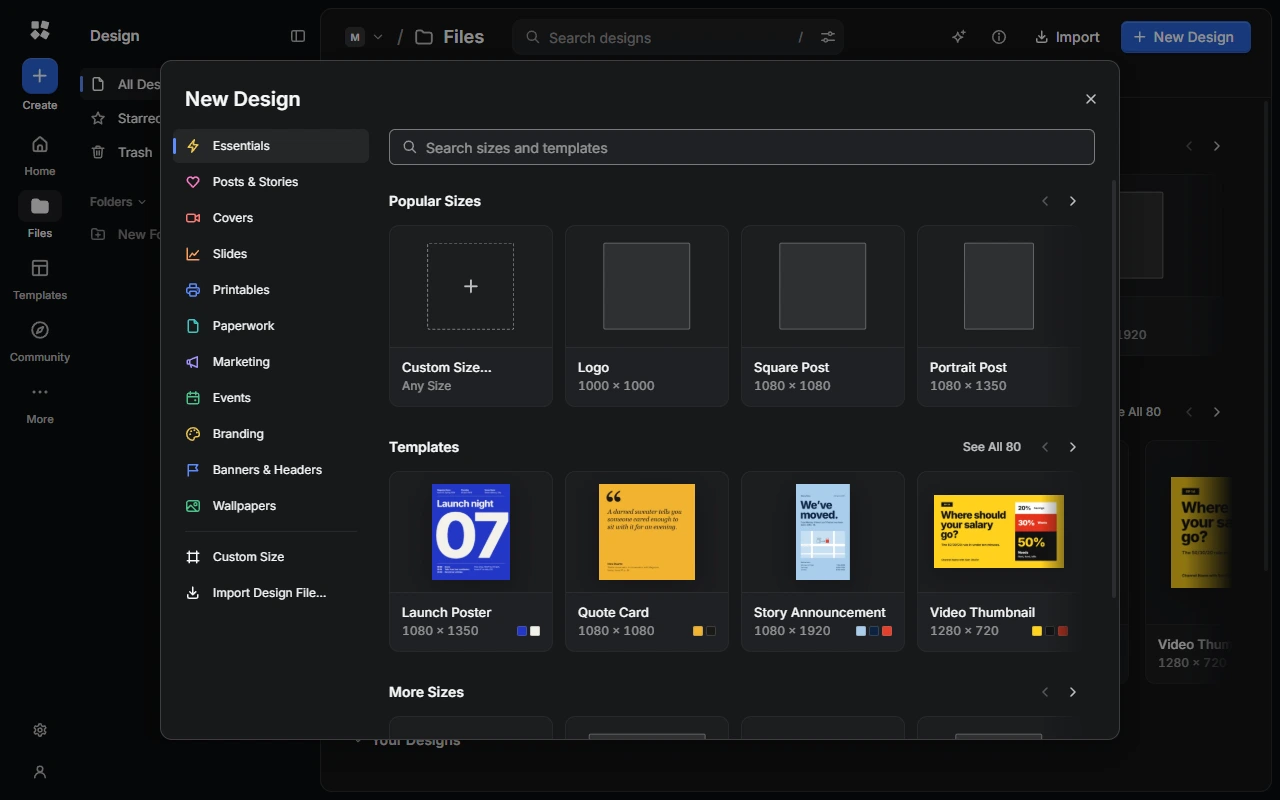
Choose New Design, or Create › Design from anywhere, for even more choice. Search for a size or template, or type a size such as 1200x800. Browse sizes by kind, such as Posts & Stories, Covers, Printables, Marketing or Wallpapers.
Templates
There are 80 design templates. In Templates, filter them by category (such as Social Media, Events, Print or Branding), by Colour and by shape (Square, Portrait or Landscape). Choosing a template makes a new design named after it and opens it.
Organise your designs
The sidebar has All Designs, Starred, Trash and your Folders. Open the ⋯ menu on a design to open, star, rename, duplicate, move or trash it, or to download it as a .cyc-studio file. See Home and Files for folders, selecting several designs and the trash.
To bring in a .cyc-studio file, choose Import.
Saving
Your design saves on your device as you work. The top bar shows Saved, Saving… or Couldn't save. Press Ctrl + S to save straight away.
If the same design is open in another tab, the second tab is read-only. Choose Edit Here Instead to edit it there.
Next steps
Last updated on 13 November 2026