Check contrast and colour vision
Make sure text is easy to read, and see how your colours look to everyone
Check two colours
Choose Contrast Checker to see whether text is easy to read on a background.
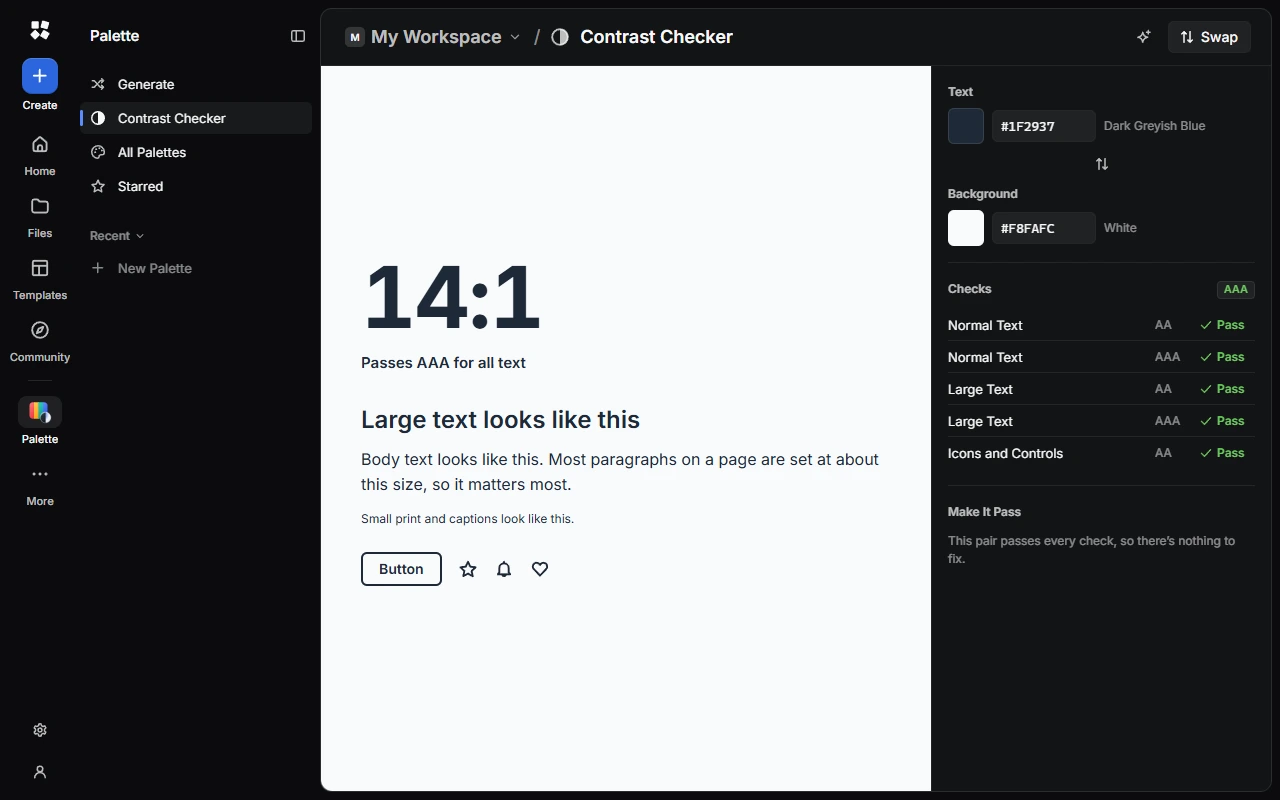
Choose two colours
Pick or type the Text and Background colours. Choose Swap Colours to switch them.
See the result
The checks show whether the pair passes the WCAG AA and AAA levels for normal text, large text, and icons and controls.
Fix it
If a check fails, Make It Pass suggests similar colours that pass. Choose Use to try one.
Check a colour in your palette
Select a colour and choose Show Details. The Colour tab shows its codes, its shades, and how it reads On White, On Black and As Background.
The Palette tab checks text pairs and colour vision for the whole palette.
See it with colour blindness
Choose View As to see your palette with Protanopia, Deuteranopia, Tritanopia or Achromatopsia. Choose Typical Vision to go back.
Last updated on 14 November 2026